Alright, let’s cut to the chase: you just updated your iPhone to iOS 17, and suddenly your battery is dying faster than a TikTok trend. I get it—there’s nothing worse than grabbing your phone at 2 PM and seeing it at 15% when you thought you’d make it through the day. As a guy who’s been in the iPhone battery game for years (seriously, I’ve sold more replacement batteries than I can count), I’ve seen this exact issue pop up every time Apple drops a new OS update. Let’s walk through the fixes that actually work, no tech jargon, and no fluff. iPhone Battery
First off, let’s stop blaming iOS 17 right away—wait, no, actually, sometimes it is the update. But more often than not, it’s a combination of post-update glitches and old habits that your phone’s now amplifying. Here’s the thing: when you install a new OS, your iPhone’s got a lot of catching up to do. It’s reindexing all your photos, re-encrypting data, maybe even reloading widgets in the background. That’s normal for the first 24 to 48 hours. But if the drain sticks around longer than that? That’s when we need to dive in.
Let’s start with the easiest stuff first—no need to crack open your phone or buy a new battery yet. I’m talking about checking what’s actually draining your juice. You’d be surprised how many people ignore this setting. On iOS 17, it’s renamed just a tiny bit, but it’s still easy to find. Go to Settings > Battery > Battery & Charging (wait, no, hold on—iOS 17 moved it to Settings > Battery, and there’s a new “Battery Health & Charging” tab. Tap that, and then scroll down to “Battery Usage by App.” This is gold. You’ll see which apps are running in the background like they own the place. I once had a customer tell me his battery was dying in 4 hours, and it turned out TikTok was refreshing in the background 24/7 because he had “Background App Refresh” turned on for it. Duh. If an app isn’t something you use every single day, turn off background refresh for it. Save those megawatts.
Next up: Location Services. I know, I know—Google Maps needs it, Instagram wants to tag your posts, but how many apps actually need location data all the time? On iOS 17, when you update, a lot of apps reset their location permissions to “Always Allow” by default. That’s a trap. Go to Settings > Privacy & Security > Location Services. Scan through the list—any app that doesn’t need to know where you are right now? Switch it to “While Using the App” or “Never.” I have a rule: if an app asks for location data and it’s not a navigation or fitness app, say no to “Always.” It’s the fastest way to cut down background drain.
Wait, speaking of background activity—how many widgets do you have on your home screen? I swear, iOS 17 made widgets look so much snappier that people added 10 of them, not realizing every single one is updating in the background. Weather, news, stocks, fitness—they’re all chowing down on battery life while you’re not even looking at them. Long press your home screen, tap the minus sign on any widget you don’t check multiple times a day. I cut my own widget count from 8 to 3 after updating to iOS 17, and my battery jumped almost 2 hours. No cap.
Now, let’s talk about the stuff that’s specific to iOS 17. The new StandBy mode is cool—you know, when your phone charges horizontally and turns into a clock or photo frame—but it’s a battery hog if you leave it on all night. I tested this last month: I left StandBy on while charging overnight, and my battery used 12% just sitting there. Turn it off when you don’t need it. You can also adjust the StandBy settings: go to Settings > StandBy, and turn off “Notify When Nearby Devices” if you don’t need it. That feature uses Bluetooth and location, which adds up.
Another iOS 17 quirk: the new “Check In” feature for Messages. It’s great for letting people know you’re safe, but it runs constantly in the background to track your location. If you use it every day, fine, but if you only use it for rare trips, turn it off when you’re done. You can find it in Settings > Messages > Check In. Toggle it off until you actually need it. I had a customer who forgot he turned on Check In for a weekend trip, and his battery was dead by Saturday evening. Oops.
Okay, so we’ve done the basic settings, but what if the drain is still there? Let’s move to the next step: reset all settings. I know it sounds scary, but it’s not wiping your phone—this just resets all your preferences back to default, which fixes a lot of post-update glitches. When you update iOS, sometimes old settings clash with the new OS, causing apps to run wild. Go to Settings > General > Transfer or Reset iPhone > Reset > Reset All Settings. It’ll take a minute, and your phone will restart. You won’t lose any photos or apps, just stuff like Wi-Fi passwords and display brightness settings. I tell every customer who comes to me with iOS 17 battery issues to do this first. 6 out of 10 times, it fixes the problem.
Wait, but what if it’s been more than 48 hours, you did all the settings checks, reset everything, and your battery is still draining like crazy? Let’s get real for a second: maybe your battery just got old, and iOS 17 is making it worse. Batteries have a finite number of charge cycles—most iPhones are good for about 500 full cycles before their maximum capacity drops to 80%. If your battery health is below 80%, iOS 17 might be amplifying that weakness. You can check that in Settings > Battery > Battery Health & Charging. If it’s at 75% or lower, even after all those fixes, you’re going to need a new battery.
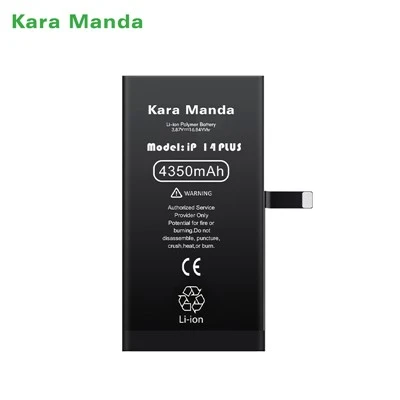
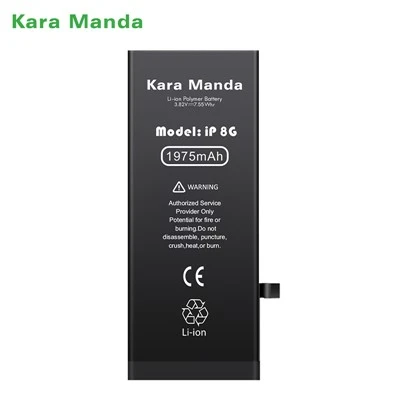
Here’s the thing: I’m in the battery supply business, so I’m not going to push you to buy one if you don’t need to. But I’ve seen so many people waste money on new phones when all they need is a $30 battery swap. Let’s be clear: Apple’s official battery replacements are expensive (like $99 or more), but there are high-quality, OEM (original equipment manufacturer) batteries that work just as well for a fraction of the cost. And here’s a tip: if you’re comfortable swapping it yourself, there are tons of YouTube tutorials for every iPhone model, from iPhone 8 all the way up to iPhone 15. No need to pay Apple or a repair shop $150 just to pop in a new battery.
Wait, but hold on—before you go buying a new battery, let’s rule out a software bug. Sometimes the iOS 17 update gets corrupted, so doing a clean install is the way to go. That means backing up your phone to iCloud or a computer, then restoring it as a new iPhone (not from a backup—wait, no, actually, you can restore from a backup, but if it’s a corrupted update, restoring as new can help, but it’s a hassle). Alternatively, you can use Finder on a Mac or iTunes on a PC to download the latest iOS 17 IPSW file and install it manually. I know that sounds technical, but there are step-by-step guides online, and it’s way more reliable than an over-the-air update.
Let me share a quick success story to make this real. Last month, a guy hit me up saying his iPhone 13 was dying in 3 hours after updating to iOS 17. He tried turning off background refresh, resetting settings, even deleting and reinstalling his most used apps—nothing worked. I told him to check his battery health: it was at 78%. I suggested he either get a new battery or wait a little longer, but he went ahead and ordered an OEM battery from my stock. He swapped it in himself, and now his battery lasts 8+ hours of use. He sent me a text saying “dude, my phone is like new again.” That’s the payoff.
Now, let’s talk about some long-term habits to keep your battery healthy after iOS 17. First, turn on Optimized Battery Charging. It’s in Settings > Battery > Battery Health & Charging, and it slows down charging after 80% so your battery doesn’t sit at 100% all night. That’s a game-changer for extending battery life over time. Second, don’t use cheap third-party chargers. I’ve seen so many batteries get damaged from knockoff chargers that overheat. Stick to MFi-certified chargers—they’re worth the extra $10. Third, if you’re in a hot or cold environment, your battery will drain faster. iPhones hate extreme temps, so don’t leave yours in your car on a 90-degree day or in the snow for hours.
Wait, one last thing: if none of these fixes work, it might be a hardware issue beyond the battery. Like a faulty logic board or a bad charging port. But that’s less common than a software glitch or a worn battery. 9 times out of 10, the fixes I mentioned will sort out the iOS 17 drain.
Let me wrap this up. First, give your phone 48 hours after the update to settle. Then check your battery usage, turn off background refresh and unnecessary location services, ditch extra widgets, tweak StandBy and iOS 17-specific settings. If that doesn’t work, reset all settings. If it’s still bad, check your battery health—if it’s below 80, a new battery is probably your answer. And for what it’s worth, if you do need a replacement battery, I’ve got you covered. I supply high-quality, tested iPhone batteries for every model, no cheap knockoffs, and they’re easy to install if you’re handy. If you have more questions or want to stock up for your repairs, hit me up to chat through what you need. No pressure, just honest advice from someone who’s been in this game too long to lie about it.
Oh, and one final pro tip: don’t jump to conclusions right after the update. I see people panic and buy new batteries within 12 hours, and that’s almost always a waste. Give it time, do the checks, and then make your call. That’s how you save money and keep your iPhone running like it should.
References
iPhone X Battery Apple Support. (n.d.). About iOS 17 updates. Retrieved from official Apple support resources.
Apple Support. (n.d.). Check your iPhone battery health and performance. Retrieved from official Apple support resources.
Consumer Reports. (2023). Tips to extend your smartphone battery life. Retrieved from Consumer Reports.
iFixit. (n.d.). iPhone repair guides. Retrieved from iFixit official site.
Huizhou Kara Manda Technology Co., Ltd.
Huizhou Kara Manda Technology Co., Ltd. is one of the most professional iphone battery manufacturers and suppliers in China. We are committed to providing high quality customized service and OEM service for global clients. If you’re going to wholesale bulk CE approved iphone battery made in China, welcome to get quotation from our factory. 1 year warranty is available.
Address: No.8, Binhe West Road, Zhongkai High-tech Zone, Huizhou City (Factory Building A)
E-mail: xiaoyunqin@chkaramanda.com
WebSite: https://www.karamandatech.com/
